ByTheWay
Get reminded what to buy the moment you arrive at the store.
A grocery list to share with family or roommates.

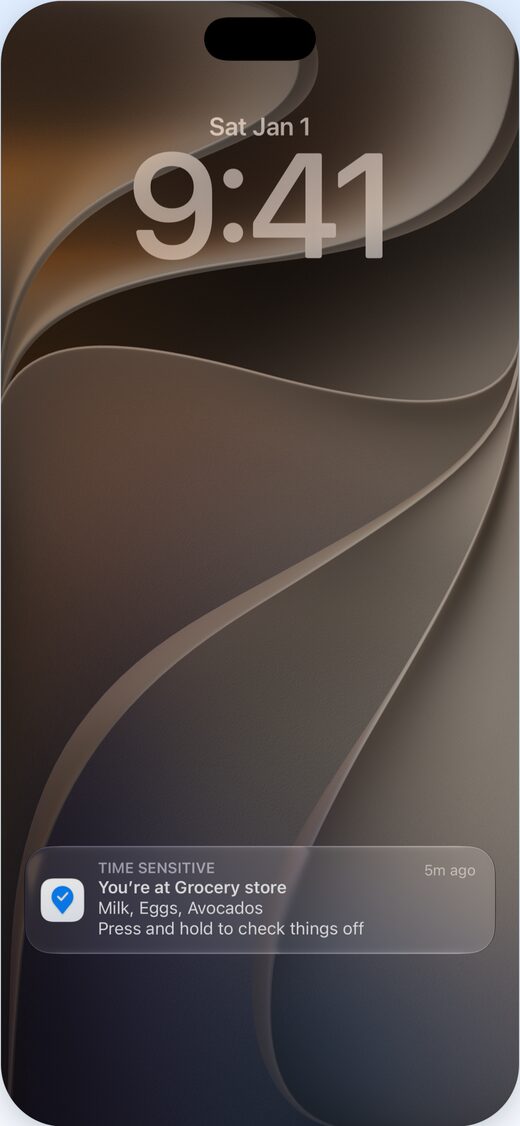
Reminders when you arrive
Arrive at the store and get a notification with what you need there, even with the app closed. Check things off right from the notification. Something to do on the way out instead? Set a place’s Remind me to “On leaving”.
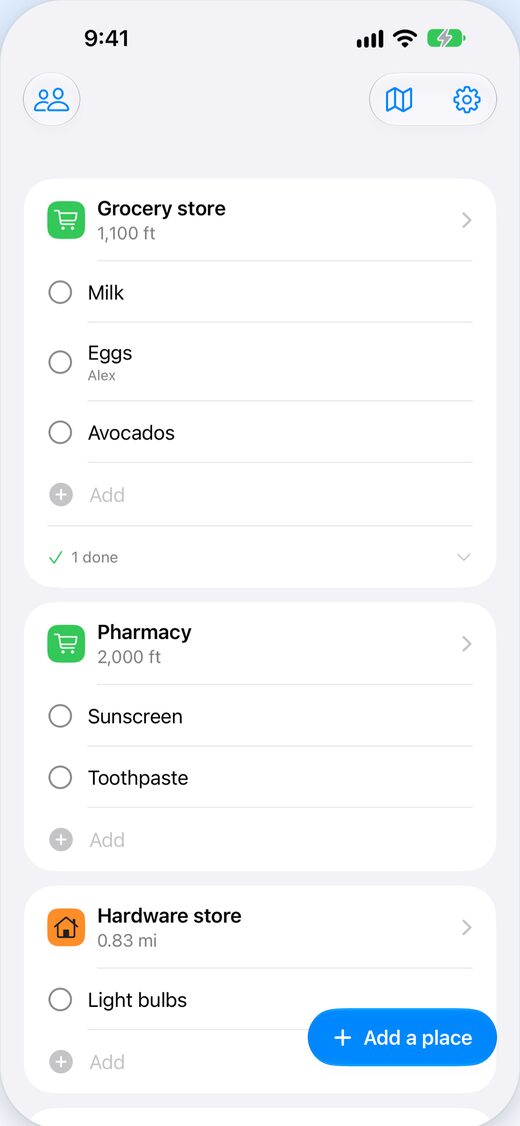
A list for every store
The grocery store, the drugstore, the hardware store. Write things down where you'll buy them. Share the lists with your family or roommates, and assign a to-do so only that person is reminded when they arrive.
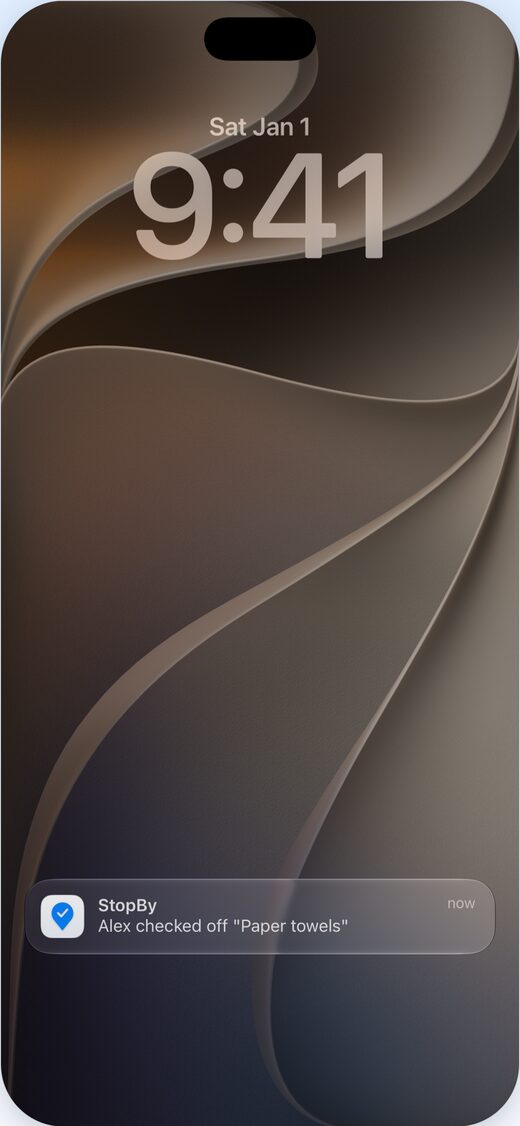
Know when someone picks it up
When someone you share with checks something off, you get a notification, so nobody buys it twice. Sharing is part of Pro.
Free to start
Up to 4 places and 15 open to-dos are free. Pro removes the limits and adds repeating to-dos and sharing with up to 6 people. Choose monthly, or yearly with a one-week free trial.
Questions
How does ByTheWay remind me what to buy?
Add a store and write your grocery list under it. When you arrive, you get a notification with what you need there, even with the app closed. A place can also remind you when you leave instead.
Does ByTheWay track my location?
No. Arrivals are detected on your phone, and your location is never sent to our servers or to the people you share with. For reminders while the app is closed, set location access to “Always”.
Can I share a grocery list with my family or roommates?
Yes. With Pro, up to 6 people including you can share places and to-dos, and only the person who invites pays. Assign a to-do so only that person is reminded when they arrive, and get a notification when someone checks something off. Sharing requires signing in with Apple or Google.
What’s free, and what does Pro add?
Free covers reminders at up to 4 places and up to 15 open to-dos. Pro removes the limits and adds sharing and to-dos that repeat daily, weekly, or monthly. Choose monthly, or yearly with a one-week free trial.
Does it work with Apple Watch?
Yes, at no extra cost. Open an arrival notification on your wrist and check items off one by one, or browse the places that have to-dos for you. Add and edit to-dos on your iPhone.
Is there an Android version?
Yes. ByTheWay is on Google Play for Android, and on the App Store for iPhone.
How do I delete my data?
Data on your phone is deleted when you delete the app, or with Settings > Erase data on this device. A copy in your phone’s backup stays until you delete that backup. If you signed in, delete your account and its data with Delete account in Settings, or on the web.